Delta iOS Executor Discord Server
Looking for the Delta iOS Executor Discord invite link? The Delta Discord community is a place where users can look for announcements, discuss Roblox scripts, and seek help with common installation or compatibility problems.
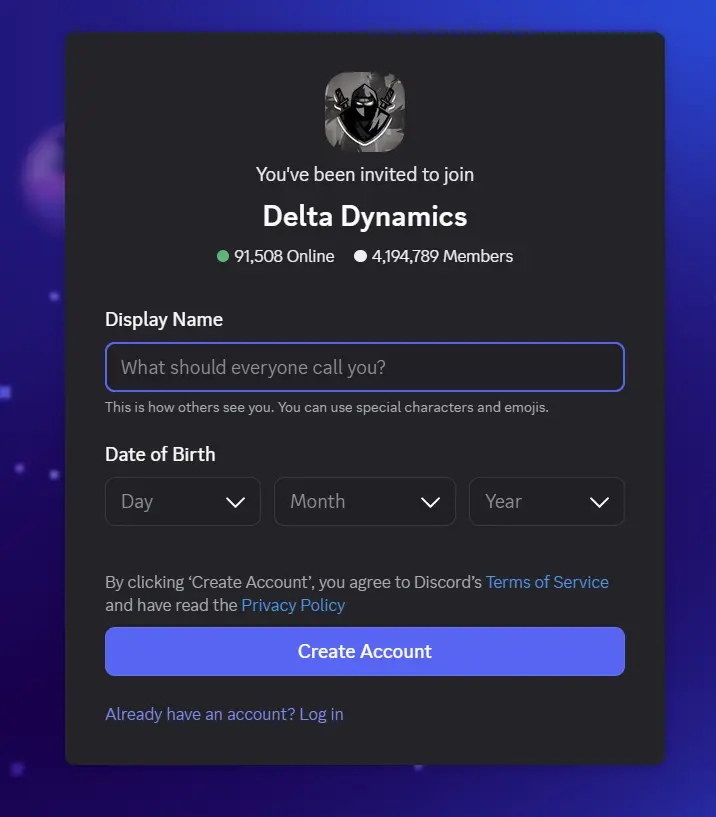
You can use the invite link below to open the Discord invitation page. Before joining, remember that server access, available channels, and verification requirements may change over time.
Delta Discord Invite Link: Join the Delta Discord Community
This guide explains how to join the server, complete any required verification, find relevant iOS channels, and follow community rules to avoid account restrictions.
What Is the Delta iOS Executor Discord Server?
The Delta iOS Executor Discord server is presented as a community for people interested in Delta Executor and its use with Roblox. Discord servers let members communicate through text channels, announcements, and other community features.
According to the information provided on the website, Android, iOS, and PC users share the same community server, with platform-specific channels for relevant discussions. However, the current channel structure and the server’s official status should be confirmed through its published announcements and trusted links.
Joining a Discord server is generally free, although some communities may offer optional paid services or features. Always check the terms of the specific server before paying for anything.
Why Join the Delta Executor Discord?
A community Discord server can be useful when you need information about updates, want to discuss scripts, or encounter a problem with an application. Here are some potential benefits of joining the Delta community.
1. Get Help With Common Errors
Delta users may encounter installation failures, application crashes, compatibility issues, or problems after a Roblox update. Community discussions can help you identify possible causes and find troubleshooting suggestions.
Response times vary, so do not assume that moderators or other members will always be available to resolve an issue immediately.
2. Find Script Discussions and Updates
Roblox updates can affect how third-party scripts behave. Community members may discuss compatibility changes, share their experiences, and report whether particular scripts are still working.
Treat user-submitted scripts as unverified unless you can establish their source and inspect their behavior. A script shared in a Discord server is not automatically safe simply because other members recommend it.
3. Follow Version Announcements
Discord announcement channels can provide information about new releases, known problems, and compatibility changes. Checking these channels may help you distinguish published updates from older information shared in videos or on third-party websites.
Before installing a new version, verify the source and review the relevant compatibility requirements.
4. Participate in Community Discussions
Members may share troubleshooting advice, discuss Roblox games, and exchange technical knowledge. If the server permits it, you may also be able to contribute your own scripts or help other users.
Read the community guidelines before posting links, promotional material, or files.
How to Join the Delta iOS Discord Server
Follow these steps to access the Discord invitation and complete any verification required by the server.
Step 1: Open the Discord Invite Link
Visit the invitation page using the link below:
Join the Delta Discord Community
Check that the link opens Discord and that the server name and details match the community you intended to join.
Step 2: Accept the Invitation
If the invitation is valid, Discord will display an option to join the server. Select Accept Invite or the equivalent option shown in your app.
If the link has expired or stopped working, look for a replacement invitation from a trusted source.
Step 3: Complete Server Verification
Some Discord communities require new members to complete a verification process before accessing all channels. Follow the instructions displayed in the server’s designated verification channel.
The exact process may vary. You might need to complete a server check or confirm that you have read the rules.
Step 4: Review Any Authorization Request
Read verification instructions carefully before approving an authorization request. Only continue if you understand what permissions are being requested and trust the service involved.
Never share your Discord password, authentication codes, or recovery codes with a bot, moderator, or website. A request for your password is a warning sign.
Step 5: Explore the Available Channels
After joining and completing the required checks, review the server’s channel list. Look for channels dedicated to announcements, iOS discussions, troubleshooting, and community guidelines, if available.
Channel names and access requirements can change, so use the current server layout rather than relying entirely on older guides.
Delta Executor Discord Rules to Know
Discord communities establish rules to reduce spam, unwanted promotions, harmful links, and inappropriate behavior. The following guidelines reflect the rules described in the source material; check the server’s current rules channel for the exact requirements and penalties.
Avoid Spam
Do not repeatedly post the same message, flood channels with unnecessary content, or send excessive unsolicited messages. Repeated spam may result in a timeout or other moderation action.
Do Not Advertise Without Permission
Promoting YouTube channels, Telegram groups, websites, or other Discord servers may be restricted. Check the server’s advertising policy before sharing promotional links.
Protect Personal Information
Avoid posting private details such as your address, phone number, passwords, account credentials, or authentication codes. Do not publish another person’s private information without permission.
Keep Content Appropriate
Follow Discord’s platform policies and the community’s content rules. Inappropriate images, abusive messages, and prohibited material may lead to content removal or account restrictions.
Do Not Share Suspicious Links or Files
Avoid posting malicious links, unknown downloads, or files designed to steal information or compromise devices. If a link looks suspicious, do not open it simply because it appears in a familiar community.
Following these guidelines can help you participate responsibly and reduce the risk of moderation action.
Is the Delta iOS Discord Server Safe?
The safety of a Discord server depends on its administrators, members, shared links, verification methods, and moderation practices. Joining a server does not guarantee that every download, script, or message is trustworthy.
Use these precautions when interacting with Delta-related communities:
- Verify the invitation: Confirm that the server matches the community you intended to join.
- Check download sources: Do not assume that files shared by members have been independently checked for malware.
- Be careful with scripts: Review their source and permissions where possible, and avoid executing code you do not understand.
- Reject suspicious authorization requests: Check the requested permissions before connecting your Discord account to an external service.
- Ignore unsolicited messages: Be cautious of people offering private downloads, free upgrades, or account assistance through direct messages.
- Protect your accounts: Never share passwords, session tokens, or two-factor authentication codes.
Also remember that third-party Roblox executors and scripts may carry account-security risks or violate Roblox’s rules. Review the relevant platform policies before using them.
Frequently Asked Questions
Is the Delta Discord server free to join?
The invitation process for a public Discord server is generally free. However, check any offer involving paid memberships, upgrades, or downloads carefully before spending money.
Do I need to verify my Discord account?
You may need to complete server-specific verification before accessing all channels. Follow the instructions displayed by Discord and the server, and avoid sharing sensitive account information.
Do iOS and Android users have separate Delta Discord servers?
The source website describes one shared community for iOS, Android, and PC users, with platform-specific channels. The current server structure should be confirmed after joining.
Can I find Delta iOS updates on Discord?
Discord announcement channels may contain release information and troubleshooting notices. Verify the source of any download before installing it, and do not assume that every message represents an official release.
Are scripts shared on Discord safe to use?
No script should be considered safe simply because it appears in a community server or has positive comments. User-submitted files can contain harmful code, and moderation does not guarantee that every file has been thoroughly inspected.
Only use files from sources you can verify, and avoid executing unfamiliar code.
What should I do if the Delta Discord invite does not work?
First, check whether Discord is loading correctly and whether the invitation URL is complete. If the invitation has expired or the server is unavailable, look for an updated link from a trusted source rather than using random invitations posted elsewhere.
Can I get banned from the Delta Discord server?
Yes. Server moderators can restrict or remove members who violate community rules. Avoid spam, unauthorized advertising, harassment, suspicious links, and other prohibited activity.
Final Thoughts
The Delta iOS Executor Discord community may be useful for following announcements, discussing compatibility issues, and connecting with other users. Before joining, verify the invitation and review the server’s current rules.
After entering the server, start with the announcement and iOS-related channels if they are available. Use caution with downloads, scripts, external authorization requests, and unsolicited direct messages.
For additional installation information, visit the website’s Delta iOS guide or Delta IPA installation guide. Check compatibility information and installation requirements before proceeding.